Why Food Manufacturers Shouldn't Have to Re-Key Invoices into QuickBooks
Why Food Manufacturers Shouldn’t Have to Re-Key Invoices into QuickBooks
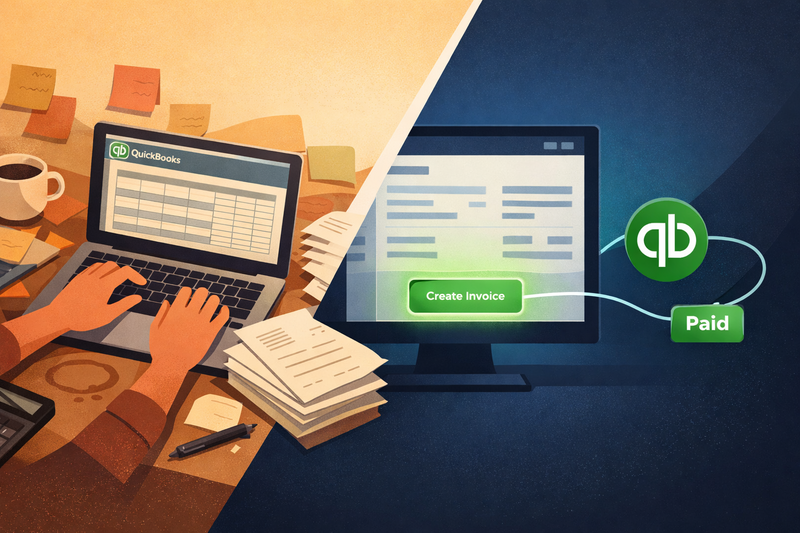
You close an order in your ERP. Then you open QuickBooks Online and type the same invoice from scratch. Customer name, line items, quantities, unit prices — all entered a second time because the two systems don’t talk to each other. You do this dozens of times a week. Maybe hundreds of times a month.
It’s not just tedious. It’s where things start to go wrong. A transposed digit. A price that was updated in one system but not the other. An invoice that sits in a draft folder for three days because someone got pulled into production. By the time you notice, the customer is already asking where their paperwork is.
If this sounds familiar, you’re not alone. Most food and CPG manufacturers live in this gap between their operational system and their accounting system — and it costs more than most people realize.
The Real Cost of the Gap
The obvious cost is time. Someone on your team spends hours each week doing data entry that a connected system could handle in seconds. But time is only the beginning.
When invoices are re-keyed manually, they drift from the source. Line items don’t match purchase orders. Quantities get rounded. Descriptions don’t align. These small discrepancies turn into customer disputes, short payments, and reconciliation headaches at the end of every month. Your accounting team spends as much time investigating mismatches as they do closing the books.
Then there’s the visibility problem. Payment status lives in QuickBooks. Order status lives in the ERP. Nobody has the full picture in one place. Your operations team thinks an order is complete, but finance knows the invoice hasn’t been paid. Your sales team promises a customer credit terms based on history they can’t actually see. Everyone is working with partial information, and the gaps create friction that compounds over time.
For food manufacturers specifically, the stakes are higher. Your customers — retailers, distributors, food service companies — expect precise documentation. Lot numbers, production dates, and compliance references that should appear on invoices get lost in manual re-entry. When an auditor or a buyer asks for a paper trail that connects a shipment to the invoice that billed it, you’re back to exporting CSV files and cross-referencing spreadsheets. That’s not a system. That’s a workaround.
What a Native Integration Actually Looks Like
The solution isn’t another middleware tool that syncs data overnight or a Zapier workflow that breaks when field names change. It’s a direct, native connection between your ERP and QuickBooks Online — one that understands both systems well enough to keep them in sync without babysitting.
In NovexERP, connecting to QuickBooks Online takes about a minute. You authenticate through a standard OAuth flow — sign in to your Intuit account, authorize the connection, and you’re done. The connection stays alive automatically. No tokens to manually refresh, no re-authentication every few weeks.
Once connected, you map your NovexERP products to their QuickBooks counterparts. This can be done one at a time through the admin panel, or in bulk with a single click that pushes all unmapped products to QBO at once. After that, every invoice knows exactly which QBO line items to reference. No per-invoice configuration.
Creating an invoice is a one-click operation from any order detail screen. NovexERP builds the invoice from the order’s line items, matches the customer to their QBO record (or creates one automatically if they’re new), and pushes the invoice to QuickBooks in a single request. The PDF is cached locally so your team can download or email it instantly without waiting on the QBO API.
From the same screen, you can send the invoice to the customer via email through QBO, void it if something changed, or regenerate a replacement — all without leaving NovexERP. The order detail screen becomes the single place where operations and accounting meet.
And payment status? It flows back automatically. When a customer pays an invoice in QuickBooks, a webhook fires and NovexERP picks it up in the background — updating the local status, refreshing the cached PDF, and recording the current balance. Your team sees the real payment status on every order without logging into QuickBooks to check.
Why This Matters More for Food and CPG
Food manufacturers operate on tight margins with high order volume. When invoices go out late, cash flow takes a direct hit. When invoices contain errors, customers slow-pay or dispute the balance. In an industry where a single percentage point of margin can make or break a product line, invoicing delays aren’t an inconvenience — they’re a financial problem.
Beyond cash flow, food manufacturers carry documentation requirements that other industries don’t. Retailers and distributors expect invoices that align precisely with what was shipped — down to the lot level. Regulatory frameworks like FSMA and SQF audits benefit from a clean chain of records that connects production data to the invoice that billed the shipment. When your ERP and your accounting system share a single source of truth, that chain exists by default.
There’s also the growth problem. Manual invoicing might be manageable at fifty orders a month. At five hundred, it becomes a bottleneck. At a thousand, it requires dedicated headcount just to keep the lights on. A native integration removes that scaling constraint entirely — the same one-click workflow works whether you’re invoicing ten orders or ten thousand.
Stop Working Around the Gap
If your team is spending hours re-keying invoices, chasing payment statuses across two systems, or reconciling mismatches at month-end, the problem isn’t your people. It’s the gap between your systems. Closing that gap doesn’t require ripping out QuickBooks or switching accounting platforms. It requires an ERP that treats QuickBooks as a first-class citizen instead of an afterthought.
NovexERP’s QuickBooks Online integration was built for exactly this — one-click invoicing, automatic customer and product sync, cached PDFs, and real-time payment tracking. See the full integration walkthrough for the technical details, or request a demo to see it in action with your own data.